Production module
Quality Inspection
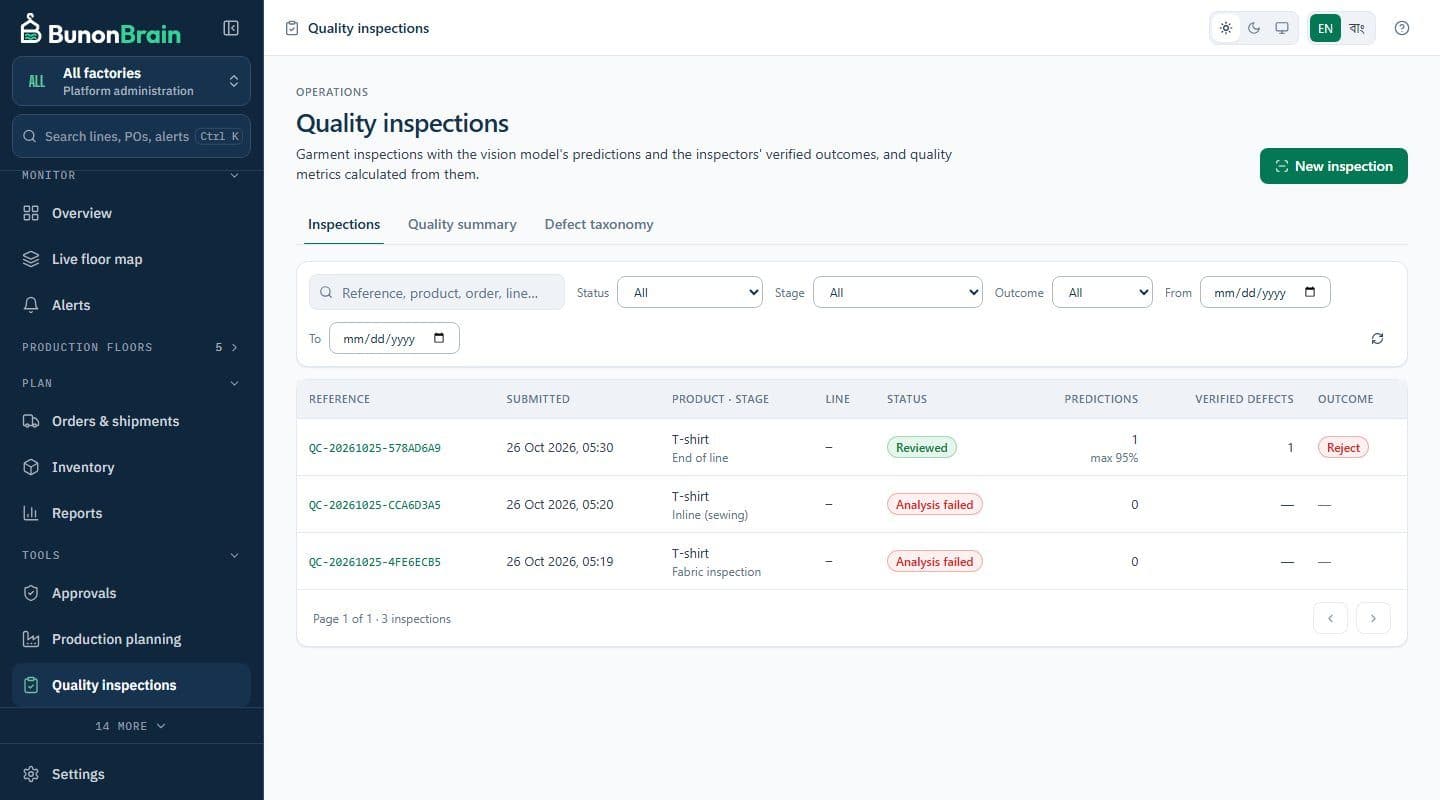
Inspectors upload garment photos, a configurable vision model marks likely defects, and the inspector confirms or corrects every finding. Defect rates and DHU are calculated only from reviewed records.
The problem it solves
Why this module exists
Defect data is usually collected on paper and summarised weekly. It is hard to trace a defect back to a line and an hour, and impossible to check what an automated system claimed.
How it works
Quality Inspection, step by step
- 01
Capture
An inspector uploads a photo of the garment with its line and style.
- 02
Analyse
If a vision provider is configured, the image is analysed and likely defects are drawn as boxes. If not, the inspection is stored and marked for manual review; nothing is predicted.
- 03
Review
The inspector accepts, rejects or corrects each finding and adds any that were missed.
- 04
Measure
Defect rates and DHU are calculated from reviewed inspections only.
Key capabilities
What it does
Configurable vision provider
Use the configured language model's vision capability or your own detection service through a documented HTTP contract.
Human review of every finding
AI output is a suggestion until an inspector reviews it.
Defect taxonomy
Administrators maintain the factory's own defect categories.
History and metrics
Inspection history, defect rates and DHU from reviewed records.
Who benefits
QC Inspector
Faster documentation, with the final say on every finding.
Quality Manager
Trends by line and defect category that can be trusted.
Factory Manager
A quality picture tied to the lines that produced it.
Next step
See BunonBrain on a running garment plant
We walk you through the product on a simulated factory and answer questions about your own lines.