How it works
From the records you keep to decisions you can stand behind.
BunonBrain is introduced one step at a time. It starts with information the plant already has and adds sources and automation only when people trust what they see.
- 01
Set up the plant
An administrator creates the factory, its production lines, shifts and styles with SMV, and invites people with the roles they need. Nothing is pre-filled with assumed values.
- 02
Bring in the data you already have
Start with the records the plant keeps today. Output is entered or imported, order documents and garment photos are uploaded, and documents are added to the knowledge base.
- 03
See the same picture
BunonBrain calculates line status, efficiency from SMV, WIP, defect rates, DHU and delivery risk from those records, and shows each role what it is responsible for.
- 04
Decide, and keep the record
Agents and vision models recommend. Plans, line-balancing proposals and agent actions wait in the approval queue for an authorised decision, which is written to the audit log.
01
Set up the plant
An administrator creates the factory, its production lines, shifts and styles with SMV, and invites people with the roles they need. Nothing is pre-filled with assumed values.
- Factories, lines, shifts and styles
- User accounts with one or more of eight roles
- Factory and line scope for every account
02
Bring in the data you already have
Start with the records the plant keeps today. Output is entered or imported, order documents and garment photos are uploaded, and documents are added to the knowledge base.
- Output entry and file import
- PO, tech pack and spec sheet uploads
- Inspection photos
- Machine, energy and RFID readings via the ingest API, when ready
No hardware needed to start
A built-in simulator produces realistic line and machine readings, so BunonBrain can be evaluated before anything is connected.
03
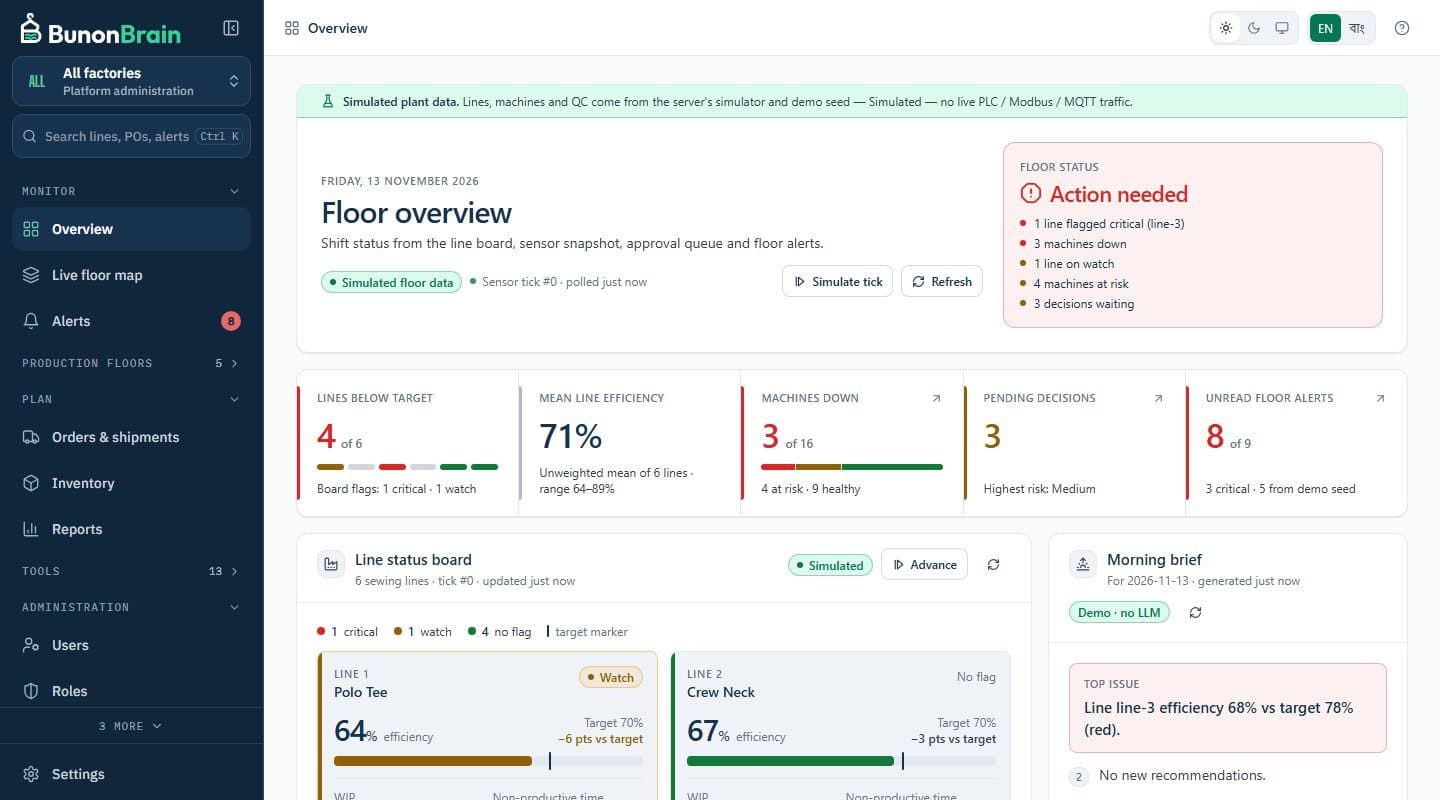
See the same picture
BunonBrain calculates line status, efficiency from SMV, WIP, defect rates, DHU and delivery risk from those records, and shows each role what it is responsible for.
- Line board and floor alerts in real time
- Quality measures from reviewed inspections
- Order risk against delivery dates
04
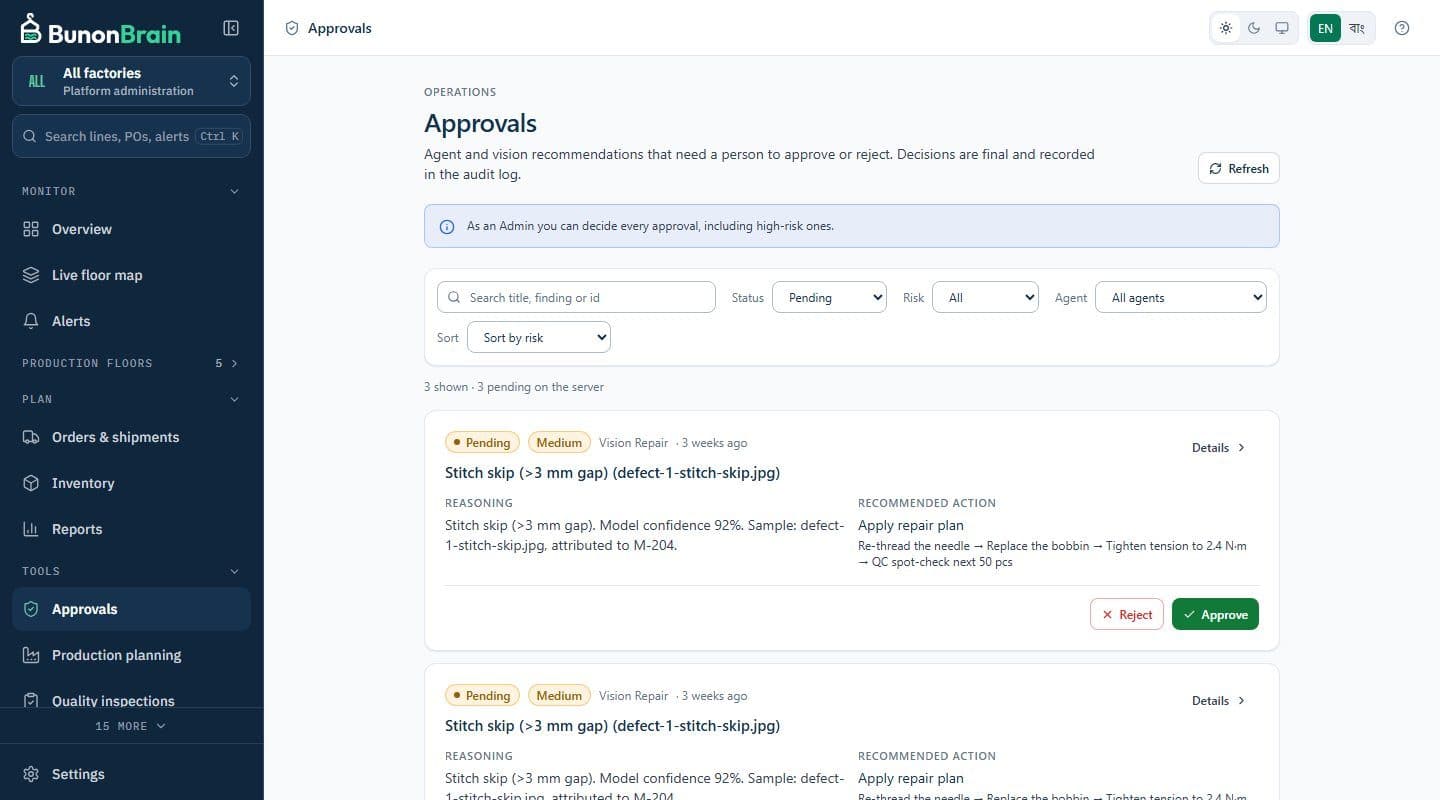
Decide, and keep the record
Agents and vision models recommend. Plans, line-balancing proposals and agent actions wait in the approval queue for an authorised decision, which is written to the audit log.
- Risk-tiered approvals
- Reasons required for rejection
- Append-only audit log
Rolling it out
Start on one floor.
We recommend beginning with one floor or a few lines, with the records that are easiest to collect, and widening once supervisors rely on what they see.
- Agree the first lines and the measures that matter most to you
- Set up lines, shifts and styles, and invite the first users
- Run alongside existing reports until the numbers match
- Add documents, inspections and readings step by step
Next step
See BunonBrain on a running garment plant
We walk you through the product on a simulated factory and answer questions about your own lines.